Coordinating sewer inspection and rehabilitation efforts involves a constant back-and-forth between field crews and office staff, which can lead to miscommunication, data loss and project delays.
Software developers took notice. Now contractors and utilities have countless pipe inspection workflow software programs to choose from, promising efficient inspection processes, AI capabilities and high-quality data and integrations. But how does your team know which one is right for your organization?
Planning phase
Utilities map out manholes, sewer mains and laterals in order to compile a scope of inspection work. Office staff rely on GIS mapping to communicate where inspection crews will be working, how to access the assigned assets and what needs to be accomplished on site.
Software that integrates with industry GIS favorites, like Esri, keeps inspection crews and office staff on the same page. That’s why one of the first questions to ask of a software vendor should be about GIS program compatibility.
“If there’s a pipe size discrepancy in the field, the operator can flag it for a GIS admin to review, simplifying the process of updating misidentified assets,” explains Andrew Clinkingbeard, director of sales at PipeTech.
Along with GIS compatibility, pipe inspection software better serves utilities when it integrates with maintenance management software. This compatibility facilitates assigning work orders for rehabilitation project management, compounding the value of programs like Trimble Cityworks and Lucidity.
Field compatibility
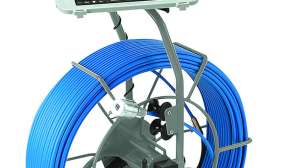
While office teams prioritize software integration, field crews require tools that are intuitive, durable, and compatible with hardware. Contracted and in-house inspection crews use crawlers and push cameras to capture pipe conditions, which serve as raw data that informs decisions on sewer rehab investments. To properly assist workers in the field, software must be easy to use and compatible with camera systems and have strong customer support.
Compatibility with inspection cameras and field laptops is one of the first features to look for when shopping for sewer inspection software. Vendors that have built relationships with camera manufacturers simplify syncing and transferring footage to be coded by office staff. Universal compatibility also ensures your software choice today won’t limit your camera choices tomorrow.
“If the vendor doesn’t have a direct relationship with your camera supplier, ask if they’ll make an integration,” says Thijs Teepe, technical account manager at PipeTech. “At the end of the day, you’re looking for vendors that offer flexibility.”
Ease of use
It’s important to choose intuitive interfaces that help new workers hit the ground running. During a product demo, evaluate:
- Interface clarity and navigability
- Customizable workflow for jobs and clients, such as shortcuts and template adjustments
- Ability to multitask without losing progress
In the same vein, vendors that supply robust training resources to their customers simplify and accelerate the onboarding and training process for new operators, relieving your organization of the responsibility.
Customer support
Perhaps the most important consideration for inspection crews is the level of support they’ll receive in the field. As you look at a vendor’s website and interact with sales staff, be sure to probe the company’s support resources with questions like:
- Is there a support line? Or is everything done over email?
- Will my staff speak with a real person? If so, how knowledgeable are they about the product?
- How quickly do you respond?
- Do you charge for support?
“We found that the most effective support is to remote into our customers’ systems,” Teepe says. “It keeps everyone moving instead of talking them through the issue over the phone.”
Data transfer
Even today, many utilities and contractors rely on thumb drives to hand off inspection footage, risking delays, data loss and errors. To circumvent the risks of physical storage, many pipe inspection software companies offer cloud-based data services to seamlessly transfer footage between the field and the office. Cloud technology reduces manual entry errors, flash drive complications and can incorporate videos into GIS. Cloud storage enables the two parties to collaborate in real time since everyone can access the data in a central location.
“As other city departments digitize, municipal IT departments can’t keep up,” Teepe notes. “The cloud enables users to store video without burdening storage capacity. We’ve seen IT departments contribute funds for pipe inspection software projects that offer cloud storage to incentivize them.”
Pipe defect coding
The pipe defect coding process creates the intel needed to properly prioritize problem areas. Increasingly, states and utilities are adopting NASSCO standards for sewer, manhole and lateral inspections to standardize what defects mean. Finding software that complies with these standards simplifies coding inspections and creating reports.
While coding has historically depended on teams of inspectors watching hours of video, artificial intelligence has shown great potential in taking on this task. As utilities struggle with a lack of resources to maintain their aging infrastructure, the technology is already being used to identify pipe conditions around the U.S.
AI assist in Houston
The city of Houston had sanitary sewer overflow problems, with nine areas of the city reporting recurring high-volume SSOs during rainfall events. This trend eventually caught the attention of the EPA. In April 2021, the Southern District of Texas court approved a consent decree between the city of Houston, the EPA and the state of Texas to improve Houston’s wastewater system. Every inch of Houston’s sewer lines would need to be assessed, cleaned and repaired as needed to address the SSOs and comply with the consent decree.
The city brainstormed how it could effectively inspect one of the largest sewer systems in the country. With 6,200 miles of sewer and 129,000 manholes, the city of Houston was looking for innovative approaches to take on this herculean project.
After speaking with multiple pipe inspection software vendors, the city chose SewerAI, partly due to its AutoCode feature. AutoCode uses machine learning and AI to identify pipe defects and automatically code them according to NASSCO standards. Of the pipe inspected, 1,500 surveys were done with AutoCode. Despite the scale and complexity of this $6 billion project, the city reported that AutoCode successfully coded defects with 97% accuracy. As a result, millions of dollars and thousands of labor hours that would have been spent on manually coding pipe inspections were reappropriated toward lining, cleaning and other aspects of the consent decree.
Reporting
Inspection reports are the final deliverable between inspection crews and their utility clients. While they can be easy to overlook during the demo, they’re the last impression contractors can make on their clients. The value of difficult fieldwork can fall flat if the final report is hard to read or poorly formatted.
Branded, professional and easy-to-read reports can reinforce a contractor’s credibility and serve as a valuable tool for client retention and future project bids. This is why investigating final report readability, formatting and whether you can add your company’s logo is important to look for during a demo or conversation with a software vendor.
For utilities, these reports are the end of the inspection project and the beginning of the rehabilitation, replacement or repair project. This is where maintenance management software compatibility comes into play again. Certain software products enable utilities to transfer reports directly into rehabilitation project workflows in a maintenance management software program.
Data security
Many businesses still struggle to manage, secure, and utilize the data that results from digital tools. Pipe inspection software is no exception. Cybersecurity and data ownership should also be considered when shopping for software vendors.
“We’re SOC 2 compliant to be sure our customers have the utmost confidence that we’re protecting their sensitive data,” explains William Gilmartin, chief revenue officer at SewerAI. “Any software you’re considering should at least have two-factor authentication.”
All too often, it isn’t until a utility is switching software vendors that data ownership arises, along with the logistics of transferring data to the new provider. Teepe of PipeTech points out that vendor transparency is key when it’s time to switch platforms.
“We use Amazon Web Services for all our data storage and management,” Teepe says. “That allows us to easily hand over data if a customer decides to go a different route. We can give them access to download it in bulk or turn over ownership of that Amazon Web Services account.”
The right fit
The optimal pipe inspection software for your organization should bridge field and office staff, integrate with existing software and hardware, simplify training, and ultimately drive better decision-making with quality data. From planning and inspections to reporting and rehabs, every phase of the workflow benefits when your pipe inspection software works with your existing processes instead of complicating them.
Continue reading for free